Computer music tools
My research and teaching at the University of York are primarily concerned with audio recording, processing and modelling for music. Teaching materials and research output often take the form of software tools for audio processing and computer music. Some of these are available from this page. Since they were not developed for commercial exploitation some are probably not quite as efficient, gainly or bug-free as they might be (particularly the older ones - some more than fifteen years old!) . These tools are provided with no guarantee and anyone downloading and using them acknowledges that I accept no responsibility at all for any problems arising from their use. There are some VST plugins (PC only at the moment I'm afraid), impulse responses for use with sampling reverbs and Matlab functions. If you do use them, let me know how you get on (jez[at]jezwells[dot]org) and report any bugs or problems so I can look into how they might be resolved in future versions.
If you are interested in hearing the differences in quality between HE-AAC coding (AAC+, part of MPEG 4) and mp3 (MPEG 1 layer 3) at low bit rates there are some audio examples you can download as a zip file (4 MB) here.
Interactive Reverberation Modelling
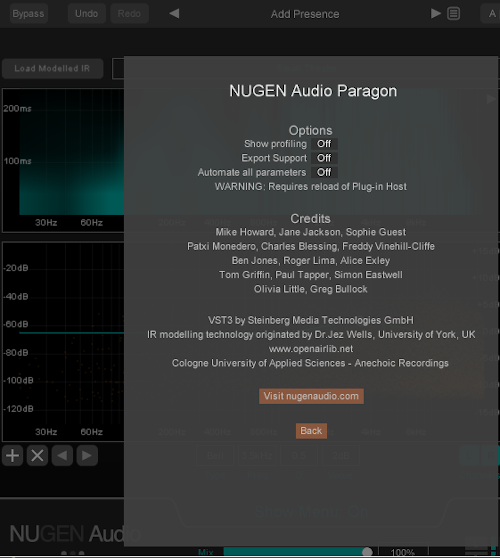
A major focus of my research since 2016 has been interactive reverberation modelling. I have developed a system for real-time artificial reverberation that enables acoustic impulse responses such as these to be manipulated in a way that offers the same flexibility as algorithmic reverberators (which, arguably, do not offer the same 'photo-realistic' quality as acoustic impulse responses). The first stage of this research is now complete and the system has been developed as a multi-format (VST, AU, RTAS etc.) plug-in, Paragon, by Nugen Audio. Some examples of what can be done with the system can be found here. Outside of this commercial implementation of the work, a demonstrator is available which shows how the system works and how it can be used to manipulate the parameters of impulse responses. This demonstrator enables the user to analyse acoustic impulse responses (using the 'reverb modeller' part of the system) and then manipulate and audition the models (using the 'reverb interactor' part of the system). The only thing the demonstrator does not allow is saving of the modified impulse responses. However, all of the sonic capabilities of the modelling system can be investigated and auditioned. There is a Windows and a Macintosh version of the modeller. The downloads are large, as they contain the runtime environment which is required for the demonstrator to run outside of Matlab. The zip archive includes user documentation, which is also available here for those who want to read it before downloading the software. A video that gives a quick overview of how to use the demonstrator is available here (please note that this should be watched in HD and full-screen modes). The story of the transformation of this work from Matlab demonstrator is told here by Sound on Sound magazine
VST plugins
Science in the Studio VST plugins
Please note that these plugins are now 10 years old and I have not tested them in recent version of Windows (10 and upwards).
These plugins are intended to illustrate and demonstrate the science of common studio processing tasks. They can be freely downloaded and used either as studio tools, just like other VST plugins, or they can be used to investigate and learn about a particular aspect of sound engineering.
The first of these (May 2012) is a combined amplitude and time based panning tool called FranPan (named after Franssen who investigated panning in the middle of last century as an employee with Philips). The plugin (for 32 bit Windows) can be downloaded here. The documentation, which includes guidance on installation and use, as well as background information and suggestions for educational/experimental activities can be downloaded here.
The latest addition (June 2012) is FlexDelay, a flexible delay plugin which can be used to explore extreme Doppler shifting as well as direct implementation of common 'thickening' effects such as chorus and flanging. The plugin (for 32 bit Windows) can be downloaded here. The documentation, which includes the usual guidance on installation and use, as well as background information on how the processor works along with suggestions for educational/experimental activities can be downloaded here.
Other VST plugins
Please note that these plugins are now 20 years old and are *very* unlikely to run on current Windows versions. I have always hoped to have time to update them but it seems unlikely that that will happen in the near-future
.There are three different plugins here. Two of them are implementations of algorithms originally developed by Christopher Penrose (thanks for his blessing and assistance in doing this) and the other is an extension of some research done by John Szymanski and Phillipe Mergen at the University. All three plugins make use of the Intel Signal Processing Library which provides highly optimised signal processing routines such as Fourier and wavelet transforms. They run best on Intel processors but they also work fine on the AMD Athlons on which they have been tested. Before you can use any of the plugins you need to install the files contained in this zip file in to the windowssystem32 folder of your computer
Ether
A spectral compositing algorithm developed by Christopher Penrose, this implementation goes a little further in allowing simple magnitude and phase swapping between sounds. There is a user guide and the plugin dll which goes in the vst plugins folder of whichever application you want to use it with.
Shapee
This is a fantastic cross-synthesis algorithm devised by Christopher Penrose which uses a technique he refers to as 'frequency shaping'. Using this plugin you take a choral recording and combine it with an orchestral recording to produce this combined version. As for Ether there is a user guide and a dll file which needs to go in your vst plugins folder. It currently only works in mono (2 in, 1 out) but inspired by the multichannel capabilities of programs such as Reaper I will be doing a stereo (4 in, 2 out) version soon. There is a stereo implementation available as a Matlab function, below.
Wavethresh
There are a couple of plugins here that I produced when I was first looking into wavelet processing for audio. They are spectral thresholding processors (you can see a DAFx paper I wrote about this in the publications section of this site). There are two versions and both are available here since the functionality of both are slightly different. There is a user guide and dll for version 1 and some release notes and a replacement dll for version 2 (don't have both versions in your vst plugins folder at the same time - otherwise your host applications might get confused).
One application of wavelet thresholding is to realistically change the perspective on stochastic type sounds. This example demonstrates how a rain storm can be thinned to a shower by slowly decreasing just one parameter, the deterministic threshold, over time.
I produced a study using solely this version 1 of this plug-in on two stereo tracks of audio. Fourier thresholding is used (sometimes very subtly) on the harmonic material, wavelet thresholding (sometimes very unsubtly) is used on the drum loop. This was produced in Logic Audio Platinum 5.5 and uses the automation system in this program to get the most out in WaveThresh by varying the parameters in real time. You can download it here: requiem internal. This piece received its premiere at Sheffield University Sound Junction's Works for Peace concert.
The sinusoidal extraction added in version 2 allows WaveThresh to adapt to the incoming signal and use the most appropriate processing method for different parts of the signal. In the following audio examples a piano recording is divided into sinusoidal (deterministic) and non-sinusoidal (stochastic) components and these are then individually thresholded and re-added to remove the background hiss.
Impulse responses
As part of restoration work on some choral recordings made in the late 1950s in the cathedrals of Arundel and Ely, I went to visit these two buildings last Summer to make recordings of the acoustic 'signatures' (otherwise known as impulse responses) of these buildings. Impulse response can be used in sampling reverberators (such as the free SIR VST plugin). There are three impulse responses: one taken in the nave of Arundel, one taken in the choir of Ely and one taken in the Lady Chapel at Ely. They are in 44.1 kHz, 24 bit .wav format:
Many thanks to Damian Murphy for his advice and loan of equipment for making these recordings. Damian has made many impulse response recordings of weird and wonderful spaces and these are available from OpenAIR which he founded. The Hamilton Mausoleum recording is incredible! There's also a description of the techniques used to make these recordings.
Matlab functions
There will be more functions to follow but for now there are just two, a stereo implementation of Christopher Penrose's Shapee algorithm and a function to generate signals for capturing impulse responses based on the work of Angelo Farina. These were written and tested in Matlab 7 but it should work in versions 5 and 6 too. Let me know if you would like these adapted for use in Scilab.
Shapee
Instructions for using the function can be accessed by typing 'help shapee' at the Matlab command prompt (once you have copied the m file into your 'work' or other Matlab directory). It is the same algorithm as is used in the VST plugin version above, but it works on stereo files and in double, rather than single, precision floating point.
By combining a voice recording with a string recording you can produce this combined output.
Logarithmic sweep generator
This function generates a logarithmic frequency sweep with user-specified start and stop frequency, sample rate and duration. The inverse sweep is also generated - filtering the sweep with its inverse produces an impulse. Sweeps are often used for impulse response measurement since they contain much more energy than an actual impulse (and so offer an impulse response recording with a much better signal to noise ratio). Inverse filtering the 'sweep response' of a building, processor etc. gives the impulse response of that system. This function is based on Angelo Farina's paper Simultaneous measurement of impulse response and distortion with a swept sine technique.